Mainframe database management workspace
Redesigning database administration so that expertise didn't leave when senior DBAs retired.
Mainframe DBAs worked across command-line tools and siloed applications.
Unify them into one collaborative workspace that new DBAs could learn without disrupting veterans' long-established workflows.
Led 15+ contextual inquiries and SME interviews with both groups, then formal usability testing of prototypes.
Engineering built from my specification, and CA released it in December 2010 as CA Mainframe Chorus for DB2; the Investigator and shareable saved paths were still in the product's 2013 user guide.
The design problem
Two user populations with fundamentally different needs working the same systems.
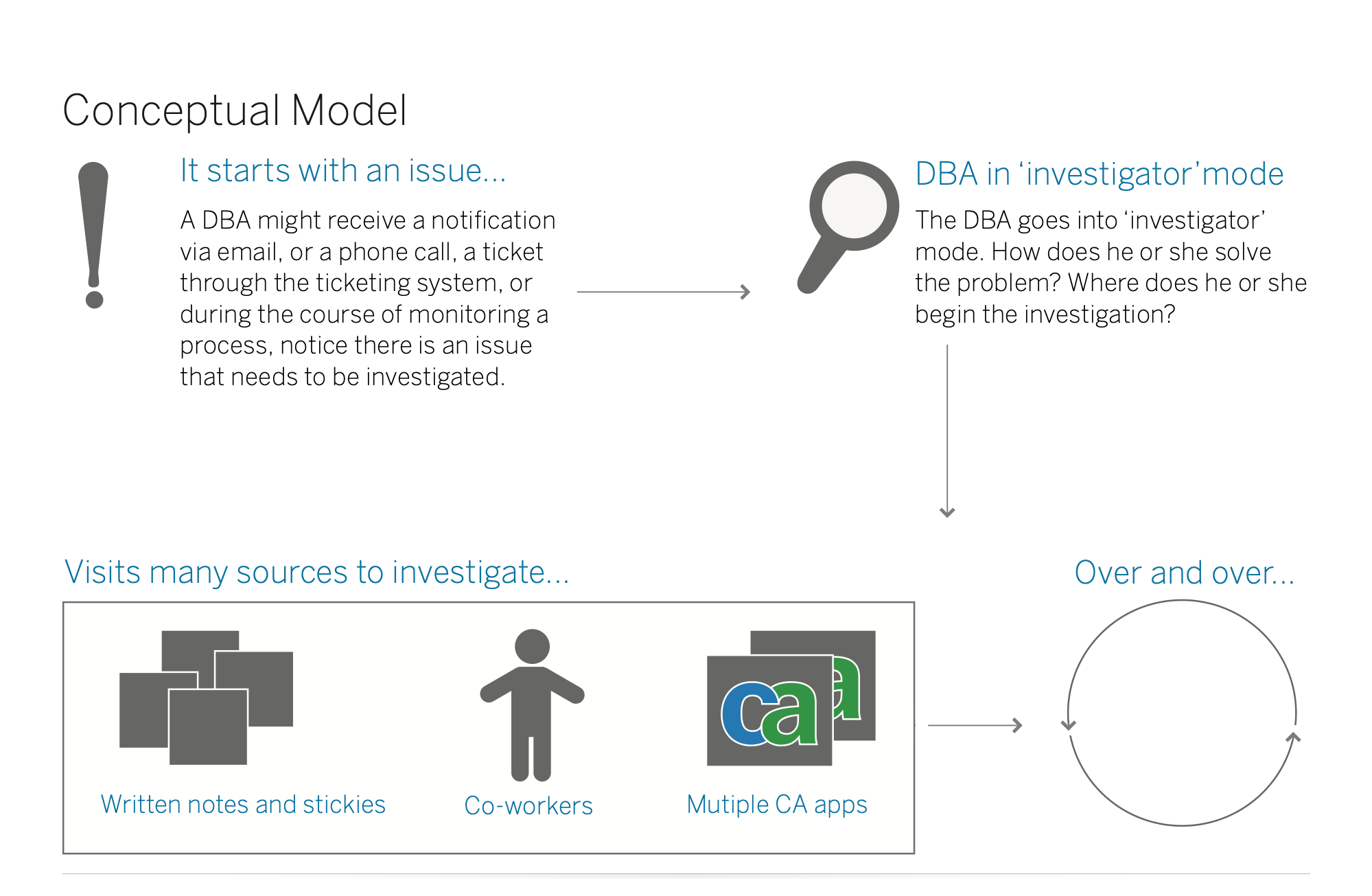
Mainframe database administration keeps the systems that run banks, airlines and governments healthy, and it was facing a workforce crisis. The soon-to-retire experts were the only people who knew the languages and command lines the product required, and tools that looked and behaved like the 1980s kept younger IT talent away.
Senior DBAs could diagnose problems faster on a command line than most people can with a mouse; any design that slowed them down or patronized their expertise would be rejected immediately. New administrators needed the opposite: a visual, discoverable system they could learn without years of apprenticeship. In the field, I watched DBAs piece investigations together from notes, sticky notes, co-workers and several separate CA applications, over and over.
Modernize everything. Visually displace the green screen and bring DBA work into the present.
Senior DBAs are faster than any modern interface. New DBAs need to learn from them before they retire. The answer wasn't a compromise; it was a system flexible enough that both could work the way they needed to.
What I designed
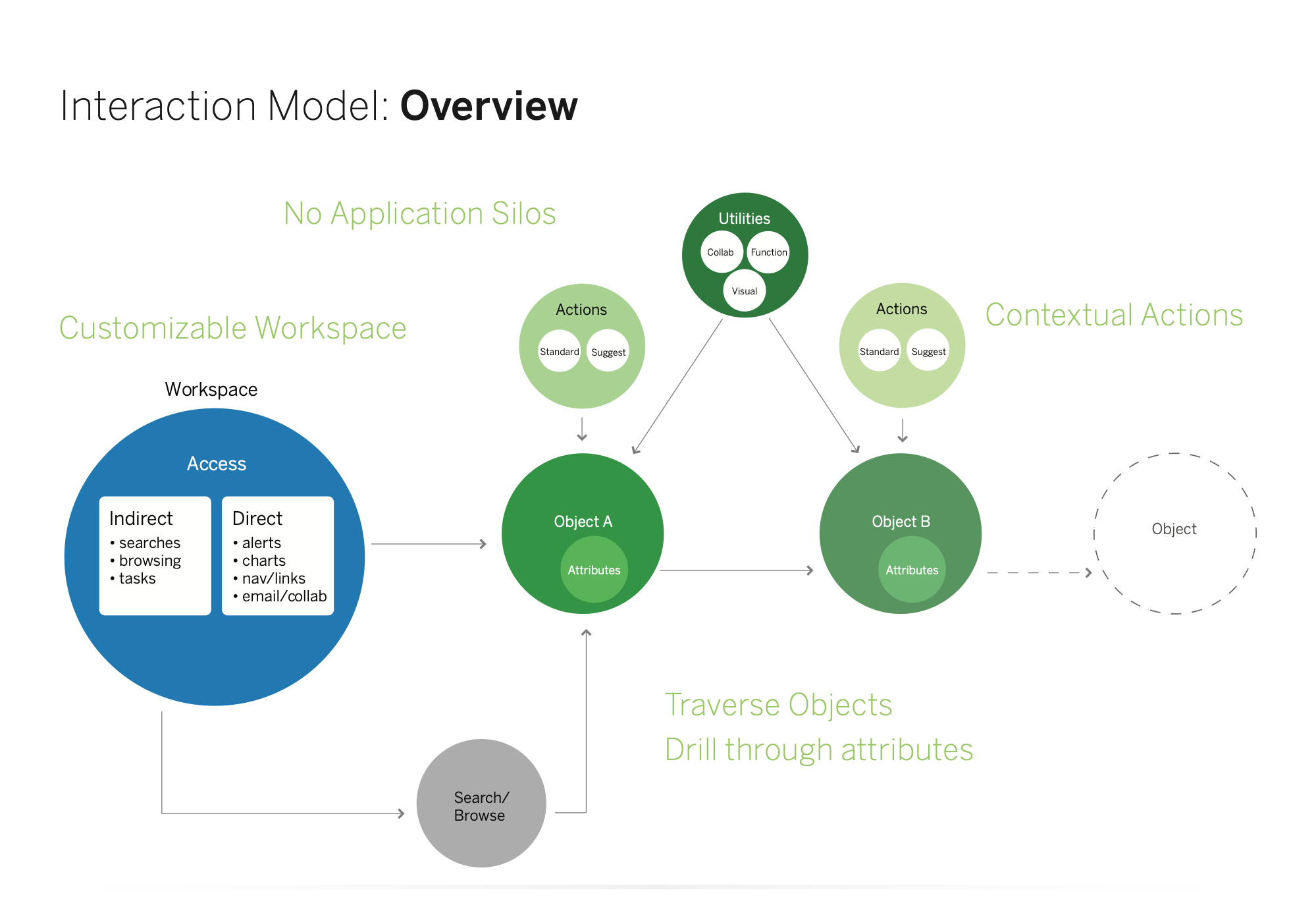
Four core concepts that work together as a system: Workspace, Investigator, Paths, Collaboration.
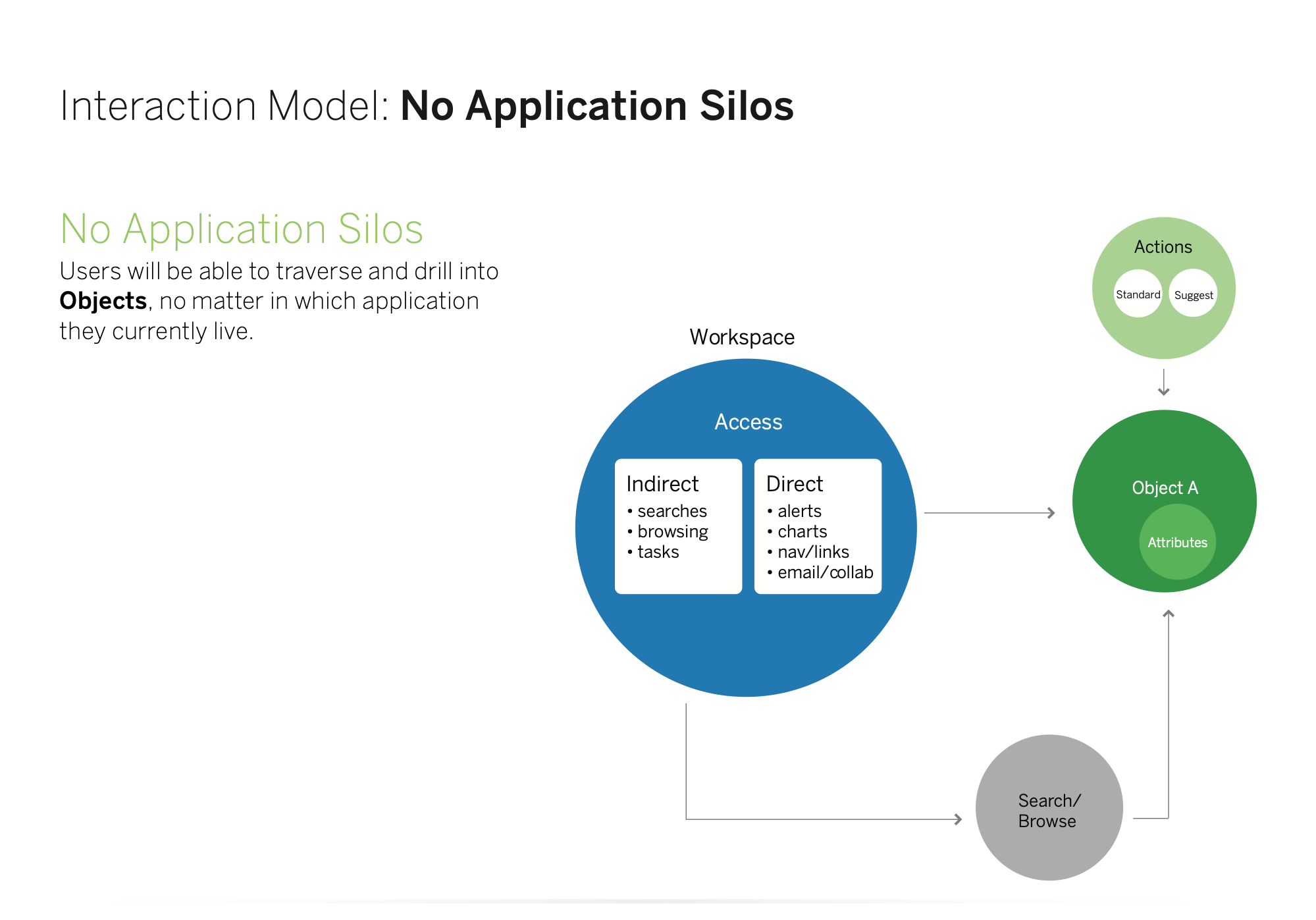
The project took what had been a fragmented landscape of command-line tools and siloed applications and pulled them into a single, visual, collaborative workspace. Each concept served both populations, in different ways: experienced DBAs configure the Workspace the way they work, while new administrators start from a suggested set; the Investigator gives new admins visual routes into a problem and gives experts the green screen as a first-class view.
The most important concept was Paths. The system records an expert's navigation through a problem, and that record can be annotated, named and saved as a reusable guide. Knowledge capture is built into the act of doing the work, not a separate documentation effort that would fall behind and decay.
What I deliberately did not build
The “modernization” ideas that would have alienated the experts and failed the new entrants.
Each one is a place where the conventional answer to “modernize the old tool” would have either patronized senior DBAs or abandoned new administrators. The design avoided this by treating flexibility as the load-bearing requirement.
- Rejected
Replacing the green screen with a single modernized viewThe obvious move would have been to retire the green screen entirely. Instead the Investigator kept it as a first-class view mode, not a “legacy” mode or compatibility setting, equal in standing to charts, tables and visual object maps. Senior DBAs stay in the paradigm they're fastest in; new admins pick the visual views. Both are treated as correct.
- Rejected
A lowest-common-denominator interfaceThe temptation in a two-population design is a middle that works for everyone and suits no one. The design rejected averaging in favor of flexibility: Workspace modules configured by role, Investigator views by preference, Paths optional.
- Rejected
A separate documentation effort for knowledge transferThe obvious answer to “experienced DBAs are retiring with all their knowledge” is a wiki or training curriculum, separate from doing the work, needing its own investment and falling behind as soon as it ships. Paths capture the investigation as it happens.
- Rejected
Treating database administration as solitary workThe existing tools treated DBA work as a single-user activity. Collaboration went into the data itself: a note on a subsystem flagging that performance degrades on Mondays is visible to anyone who later investigates that subsystem, and the experts directory surfaces the people with relevant expertise.
How it works
Four pillars, one system, two workflows.
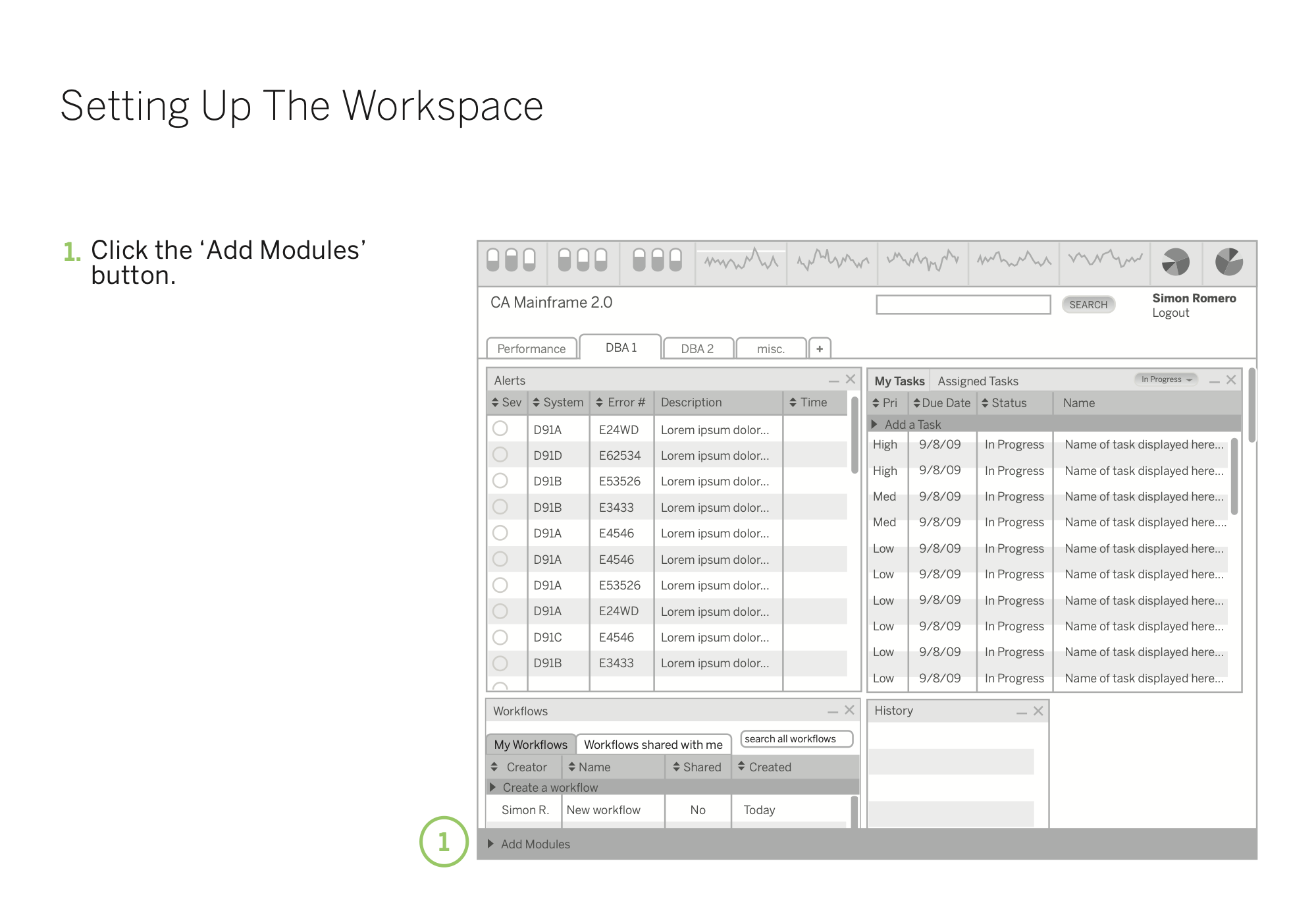
The Workspace
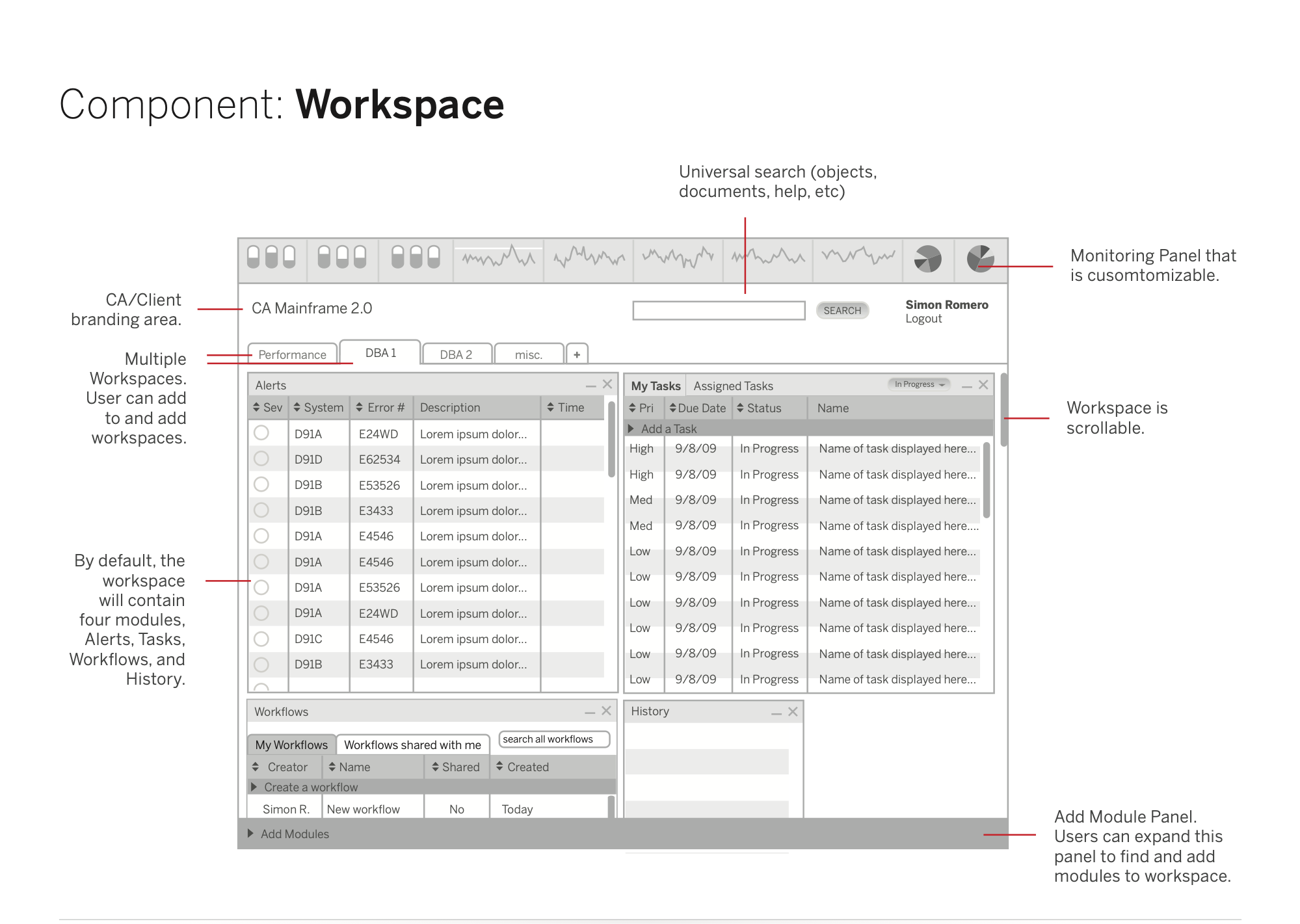
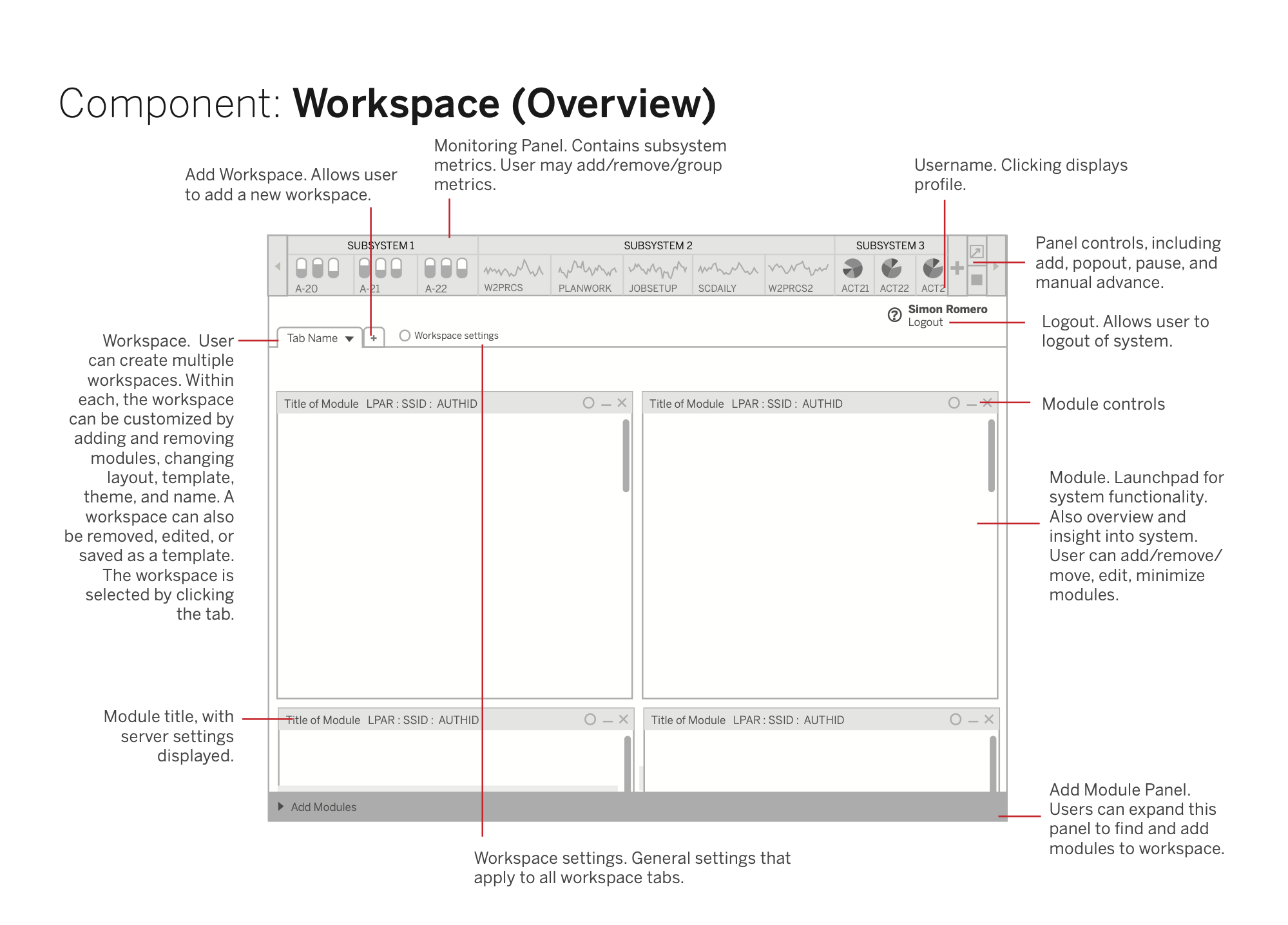
DBAs created multiple named workspaces organized by functional area, such as systems, application development and security. Within each, users added, arranged and configured modules in a grid or freeform layout, choosing from a library of widgets for alerts, tasks, monitoring, bookmarks, search and notes. The workspace accommodated individual work styles instead of imposing a single prescribed view.
The Investigator
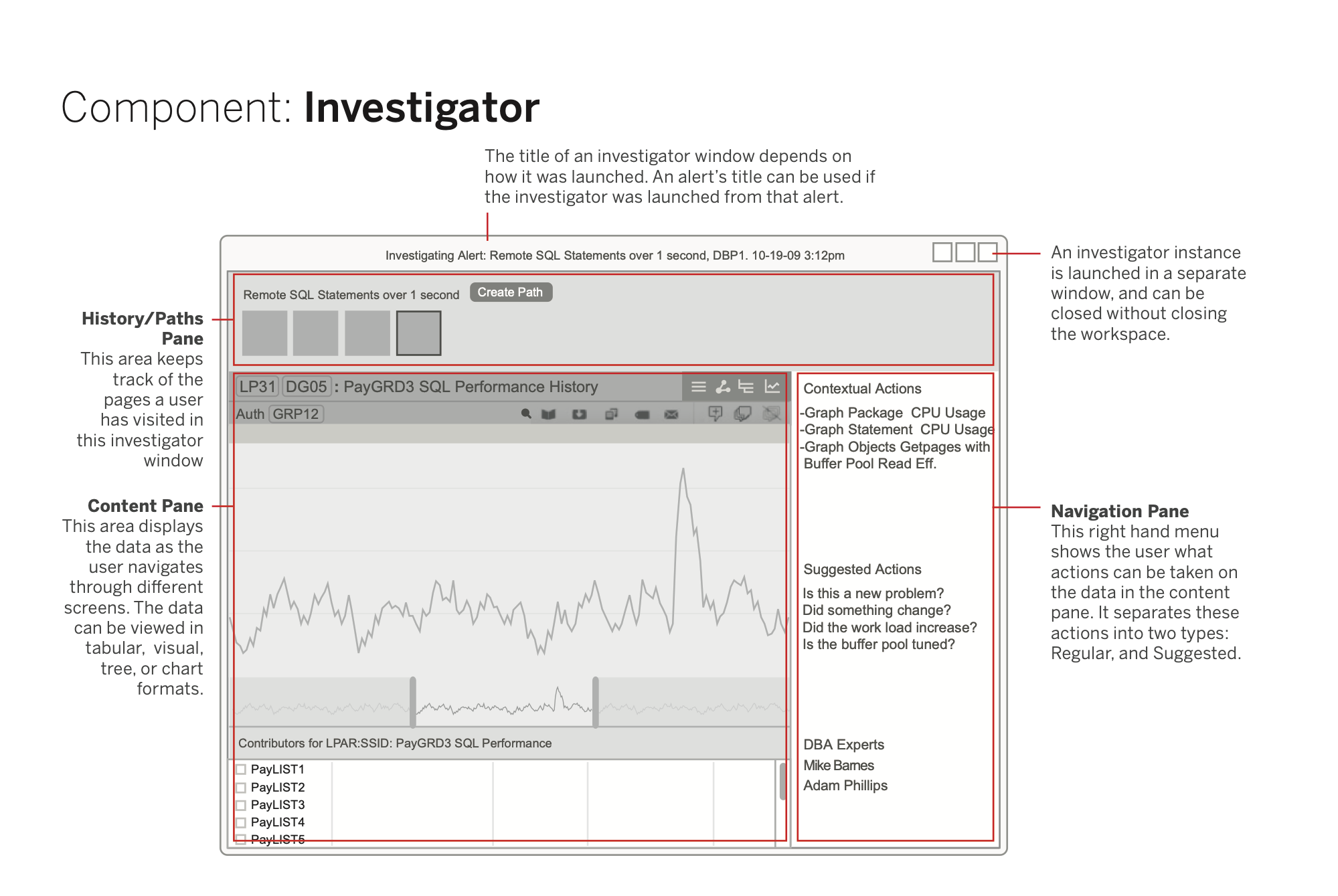
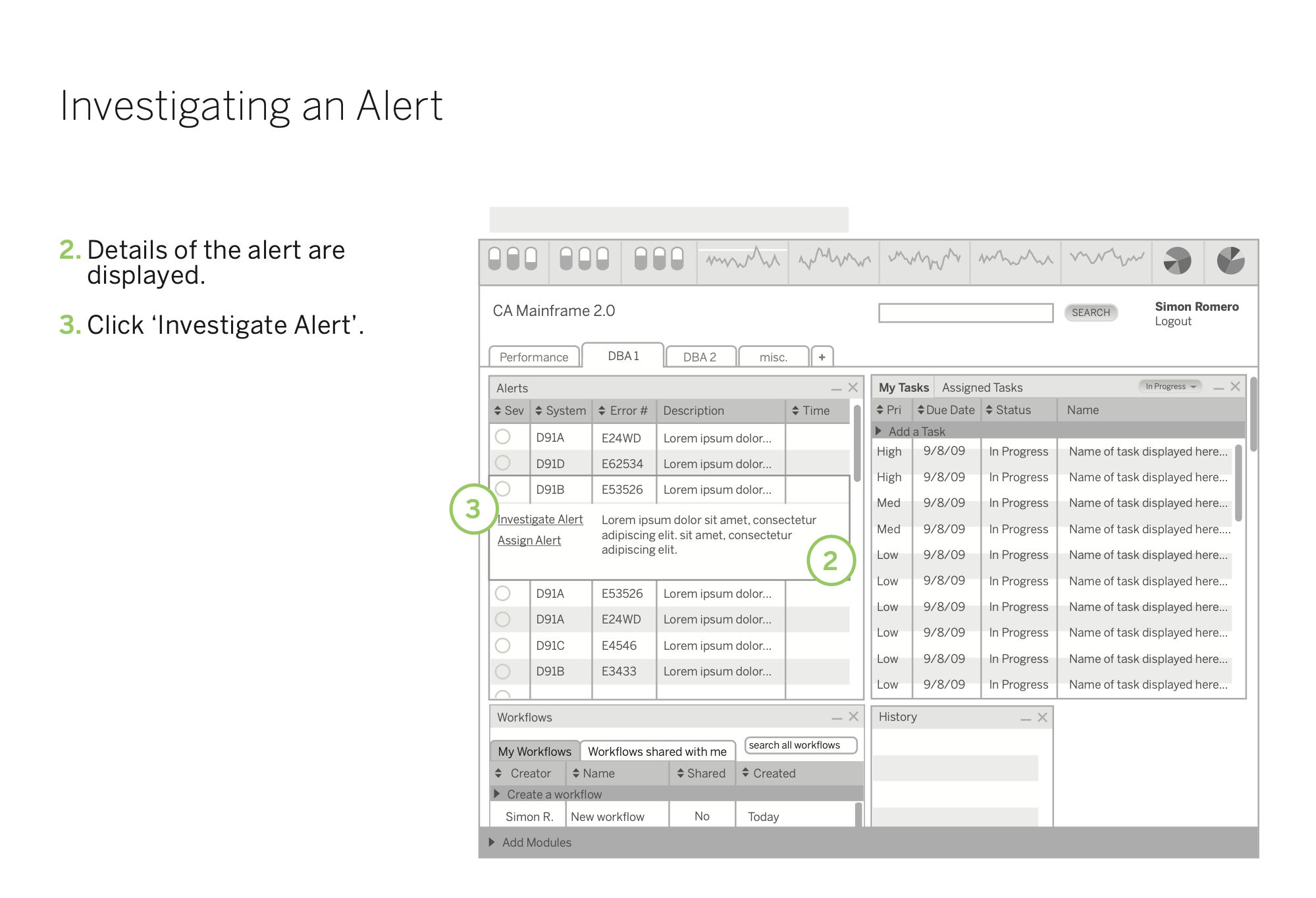
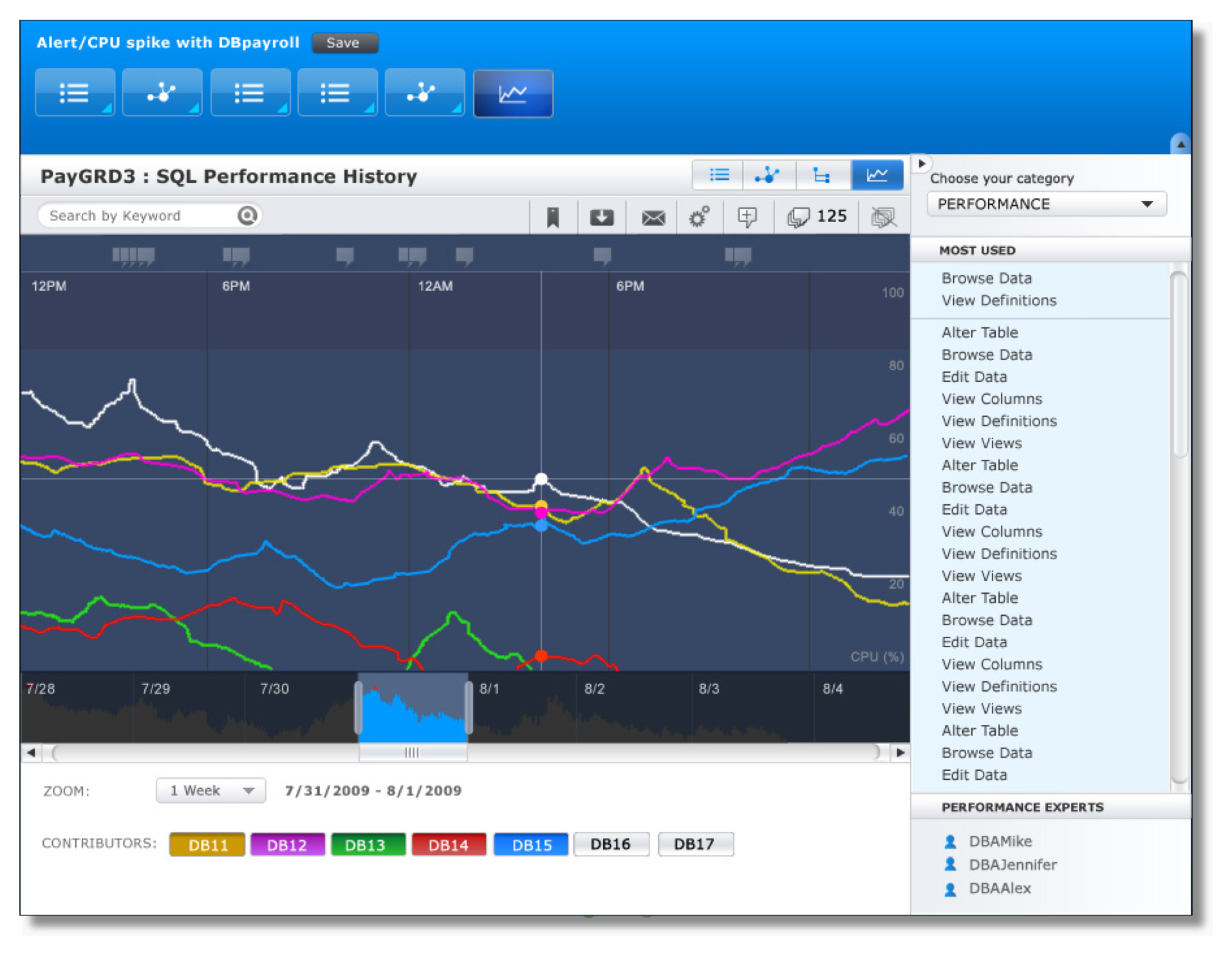
When a DBA received an alert or picked up a task, they could drop into the Investigator, which surfaced the relevant objects, suggested contextual actions, related objects and the names of team members with relevant expertise. It offered four view modes (chart, tabular, tree and a visual object relationship map), and kept the green screen as a first-class option.
Paths
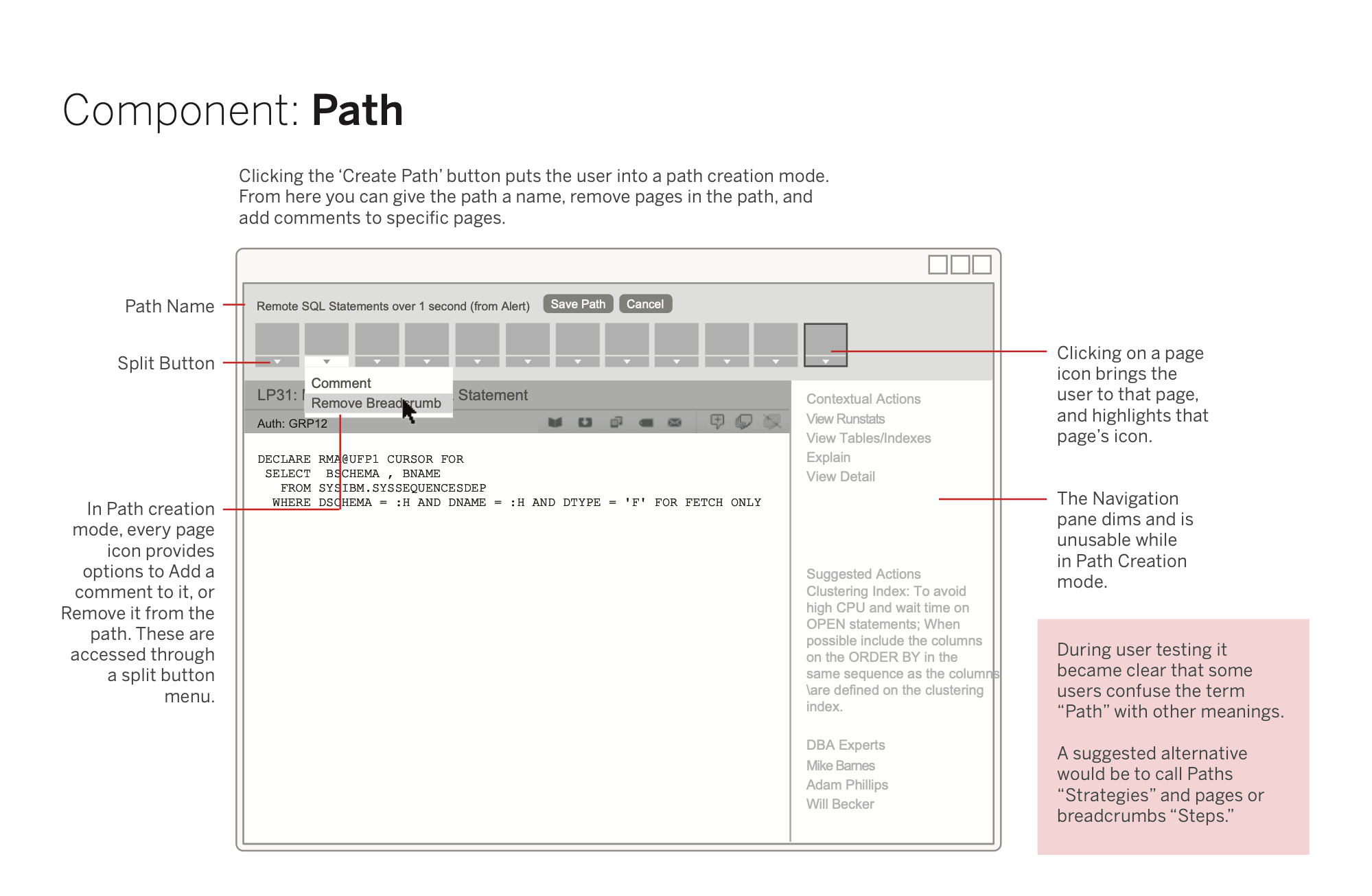
The system automatically recorded a user's navigation as they worked through a problem: every page visited and every action taken. That record could be annotated, named and saved as a reusable path, attached to tasks, kept in personal collections or shared to a common repository. A senior DBA could solve a complex issue once and turn the investigation into a step-by-step guide anyone could follow. The concept produced a patent.
Collaboration
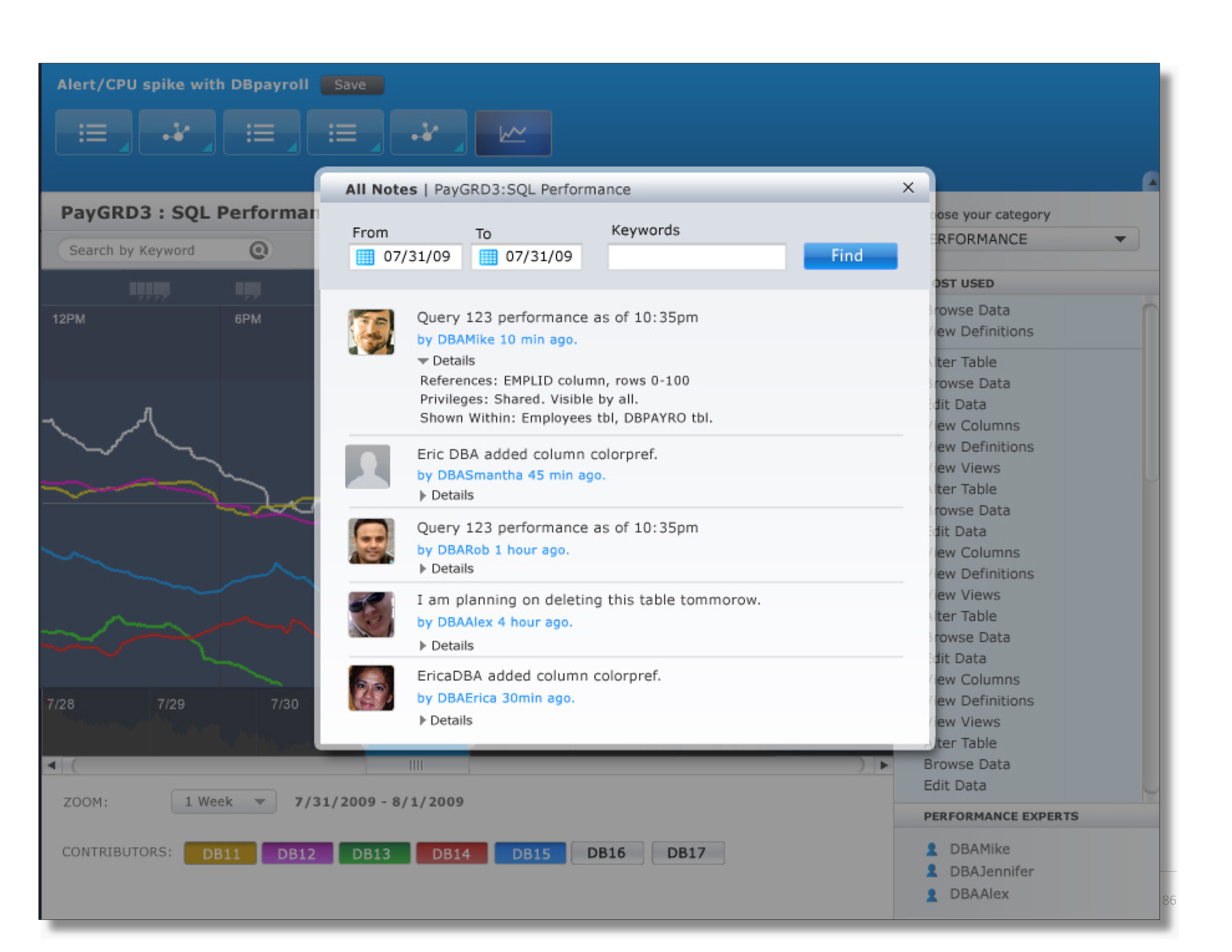
Notes could be attached to any object or chart, so a finding about a subsystem stayed with it for the next person. Tasks could be created, assigned and tracked with priority levels, and an expert directory surfaced people with relevant knowledge. The design treated database administration as inherently team activity, even though the existing tools treated it as solitary.
Result
A system both populations would embrace, and a knowledge-capture system that addressed the workforce problem the client was trying to solve.
From the work
5 more pages from the original deliverables · select to enlarge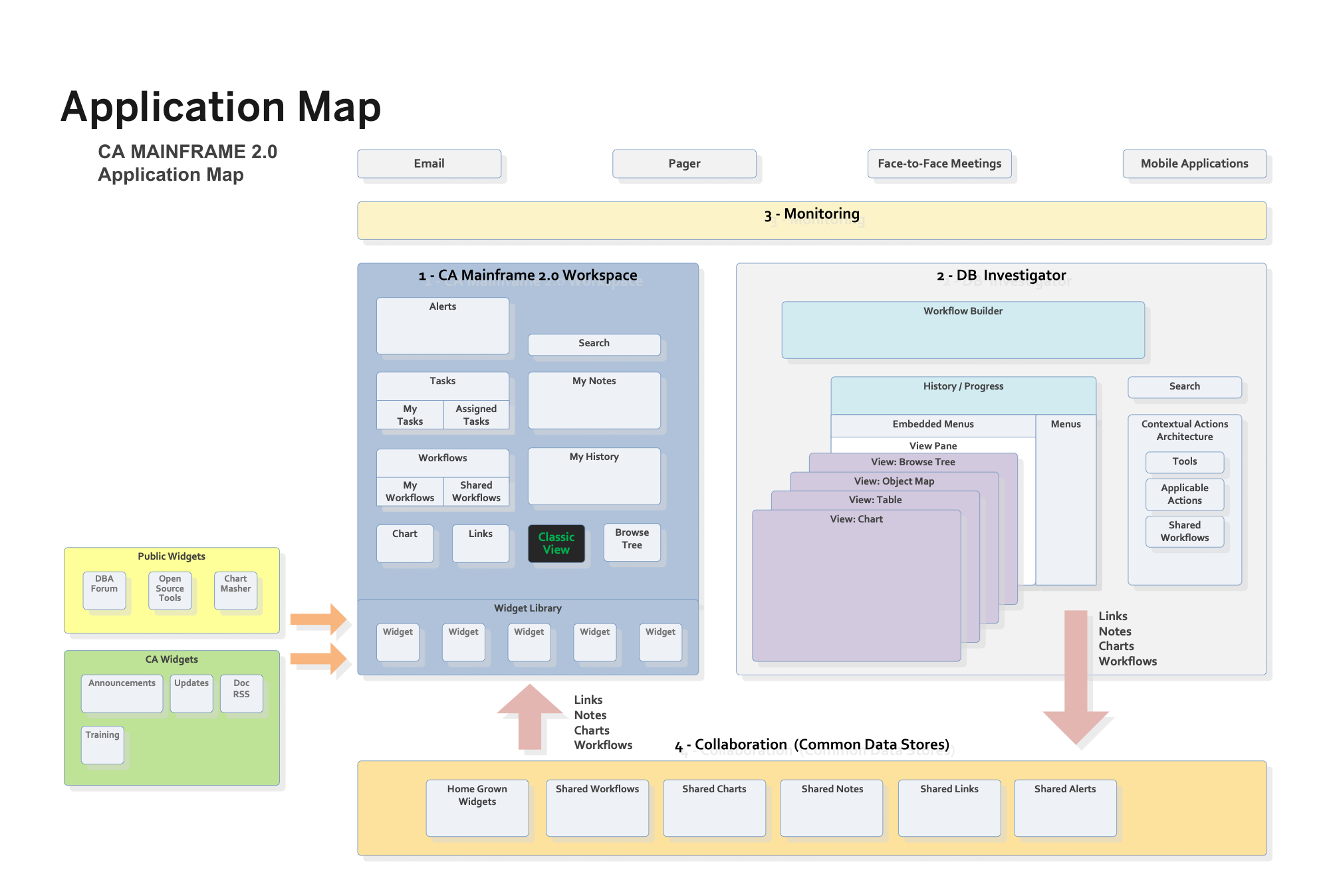 p. 97
Application mapEnd phase design document
p. 97
Application mapEnd phase design document
 p. 36
Task flow: investigating an alertEnd phase design document
p. 36
Task flow: investigating an alertEnd phase design document
 p. 1
Annotated interaction spec: workspace overviewInteraction design guide
p. 1
Annotated interaction spec: workspace overviewInteraction design guide
 p. 9
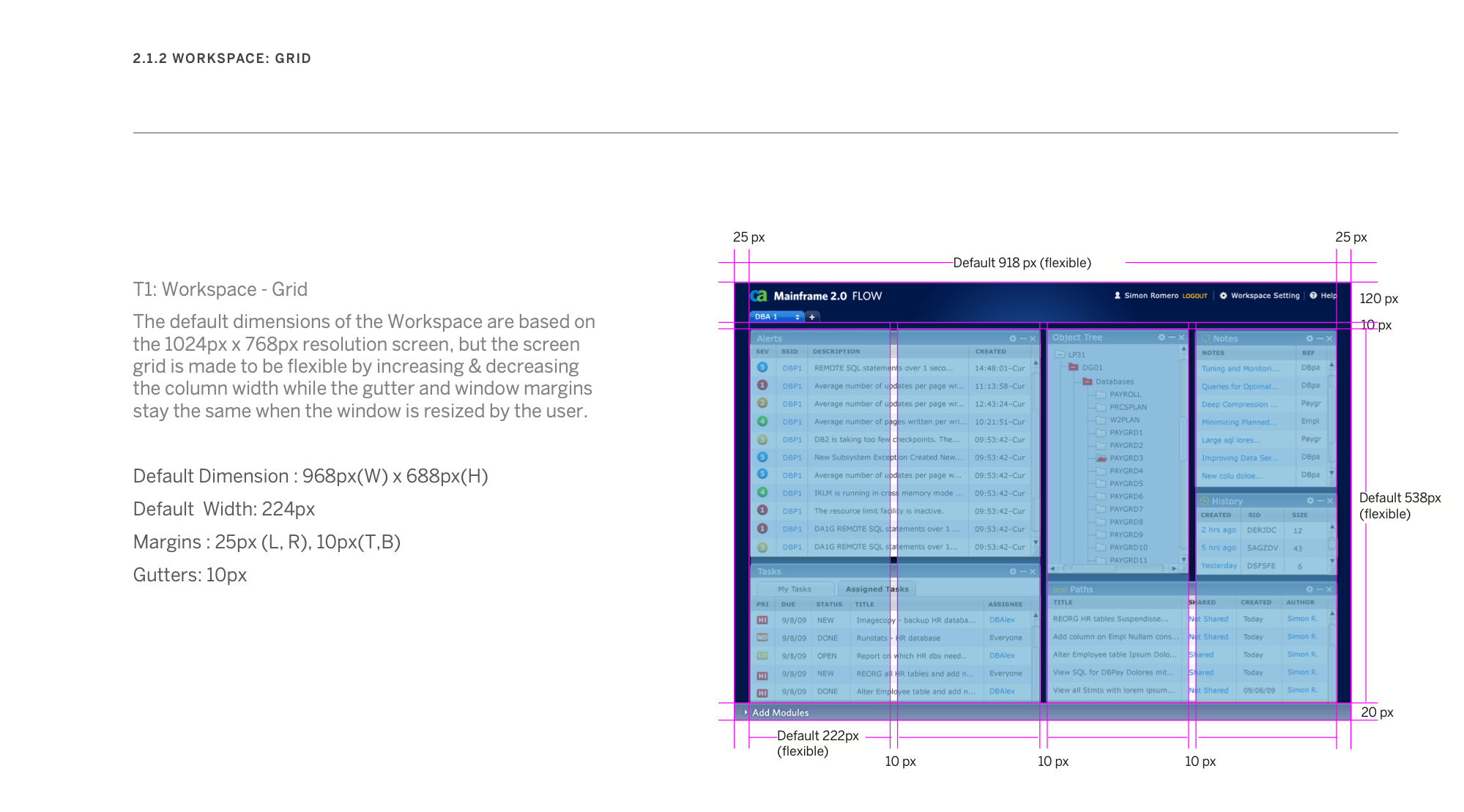
Layout spec: workspace gridVisual style guide
p. 9
Layout spec: workspace gridVisual style guide
 p. 78
Visual comp built on the wireframes: SQL performance historyEnd phase design document
p. 78
Visual comp built on the wireframes: SQL performance historyEnd phase design document
Deliverables
- Usability test plan, script, questionnaire and task sheet6 documents
- Usability findings and questionnaire results3 spreadsheets
- End phase design document: conceptual model, principles, interaction model, task flows, components99 pp
- Interaction design guide (annotated spec)70 pp
- Visual style guide64 pp
- Visual designs13 pp
Full decks and specifications available on request.
Redacted for client confidentiality.
mistycripps@protonmail.com